Datasets
Data sets are specific to a space and can be reused across multiple test cases within the same space. To add new datasets, do the following:
Click Configuration.

Click Datasets, under General section.
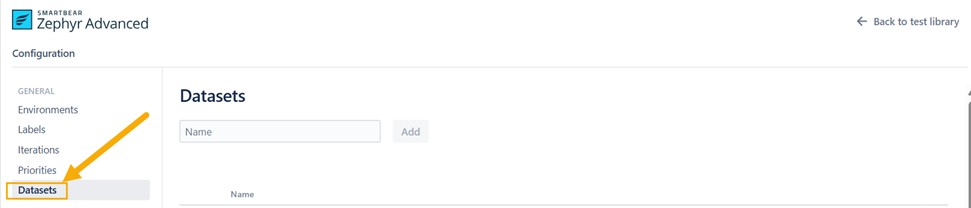
Enter the name of the dataset and click Add. The dataset is added in the list.
Go to the dataset and click Add an option. You can add any option you want to add.
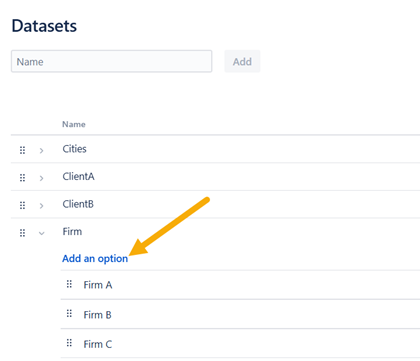
This is how you can easily add datasets.
To learn about how to add datasets in test cases, read Working with datasets.