Enabling the App
Navigate to a Jira space where you would like to start using Zephyr.
Go to
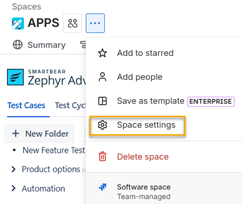
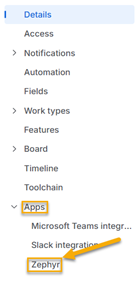
Select Zephyr, under the Apps section.
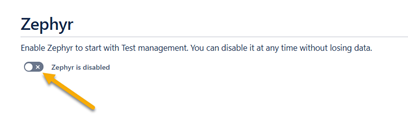
Enable Zephyr in the space using the toggle.
Use the button to navigate to Zephyr.
Next Steps
Already have test cases? Learn more about the Test Case Import.