Setting Permissions
Zephyr allows you to set permissions for specific actions, such as creating or editing test cases. Permission to perform such actions can be set at the individual Jira user level, or to a Jira role or group.
If a user has permission to delete test cases, they will also be able to delete test executions when doing so. Please be aware of this when setting permissions.
Open your Jira space for which you’d like to enable/disable specific permissions.
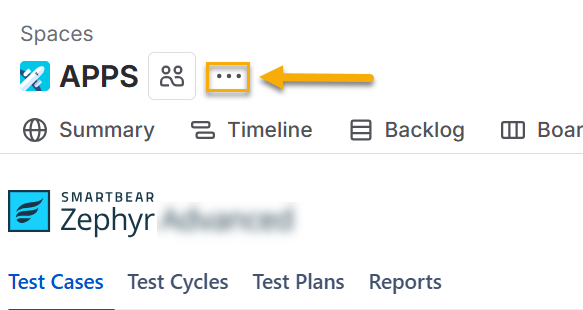
Click the three ellipses button beside the space name.
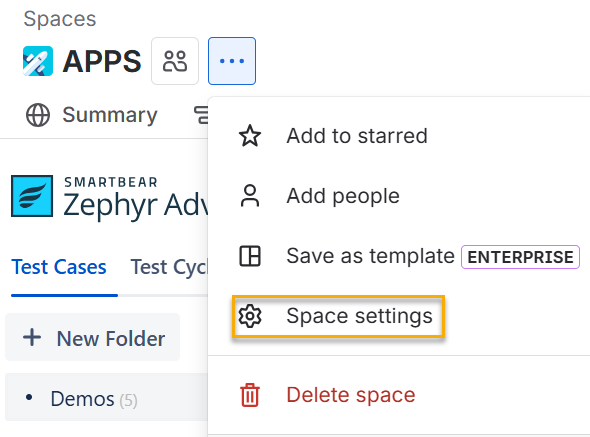
Click Space settings from the menu.
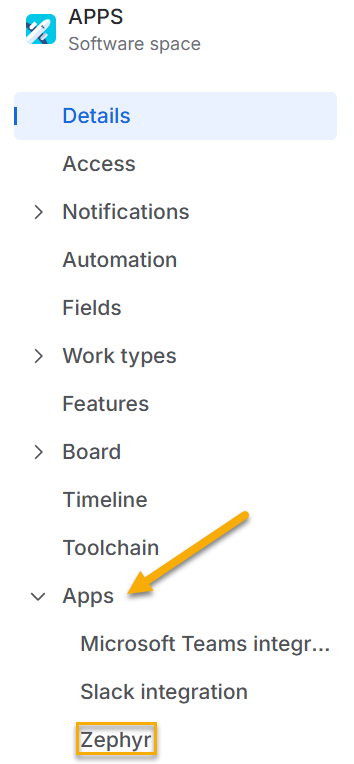
Click Apps. Select Zephyr when the Apps drop-down appears.
Note
Optional: Toggle Permission System on or off. The default setting is disabled (off), meaning all users with access to the Jira space can perform all test-related actions in Zephyr.
Click one of the editable fields for the action you want to change. All of the fields for the action become editable.
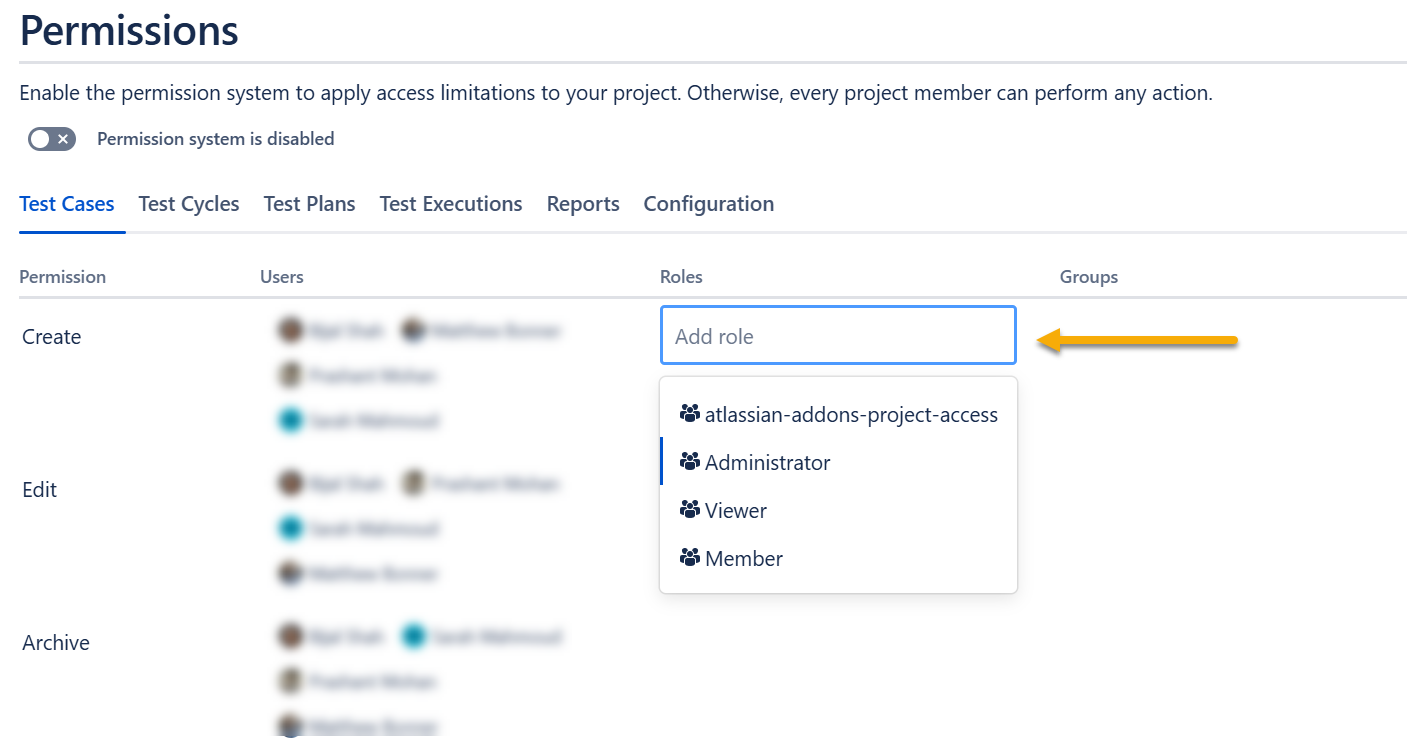
Add or remove users, roles, and/or groups for the action.
The changes will be automatically saved.