Priorities and Statuses
Priorities
Click an option in the Priorities section.
Enter a priority name.
You can also enter a description, though it isn't required.
Select a color to represent the priority (optional but recommended).
Click Add.
Result: Your priority appears on the list.
Default Priorities
A few priorities are added by default in Zephyr. These priorities are the following:
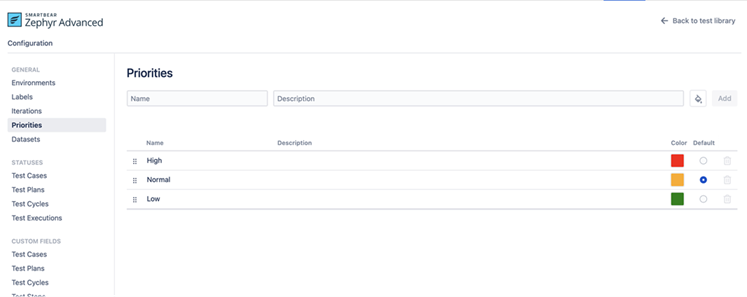
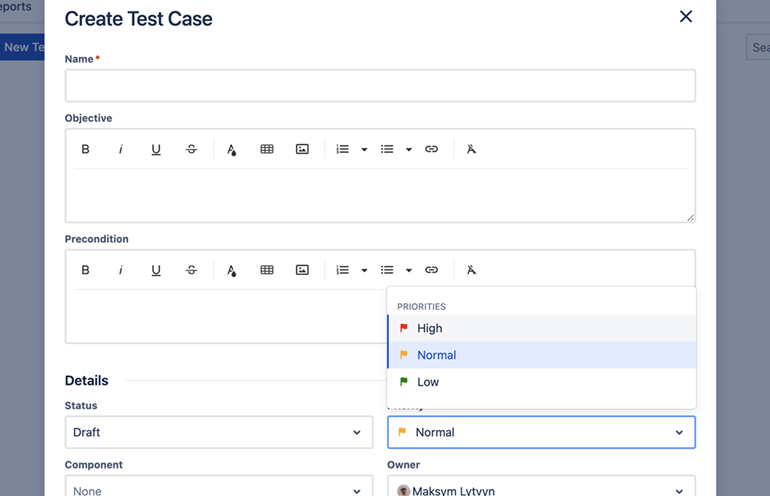
Test case priorities define the importance level of a test case. The default priority is set to Normal. You can change the default priority based on their requirements. You can create additional priority levels or set an existing priority as the default. When a default priority is configured, the system automatically preselects it in the test case creation dialog box.
Statuses
Click an option in the Statuses section.
Enter a status name. You can also enter a description, though it is not required.
Select a color to represent the status (optional but recommended).
Click Add.
Result: Your status appears on the list.
Default Statuses
A few important statuses in Zephyr cannot be renamed or deleted. These statuses have the following icon:
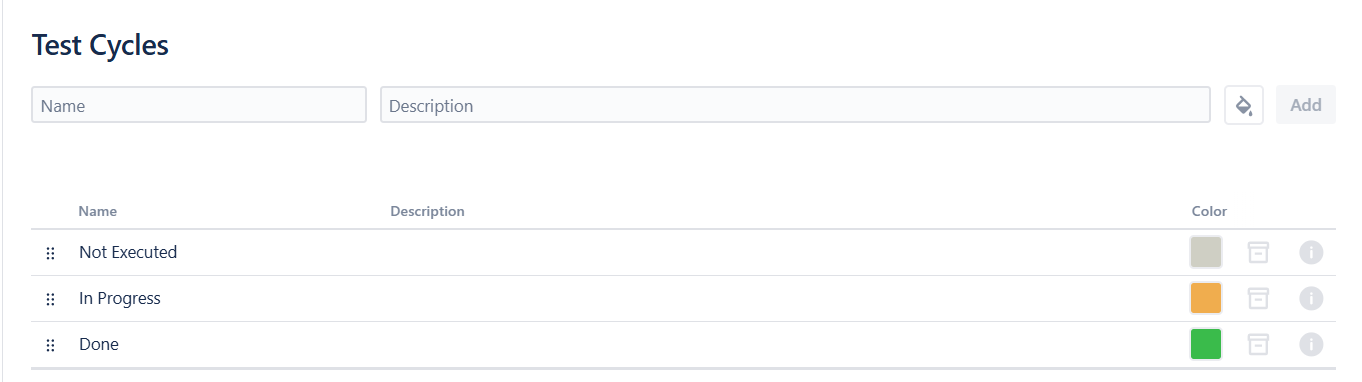
Default statuses can still be archived. We can set the status for the following:
Test cases
Test plans
Test cycles
Test executions