Generating Reports
You can customize and generate any report in Zephyr Cloud quickly and without fuss.
With a space open, click the Reports tab.
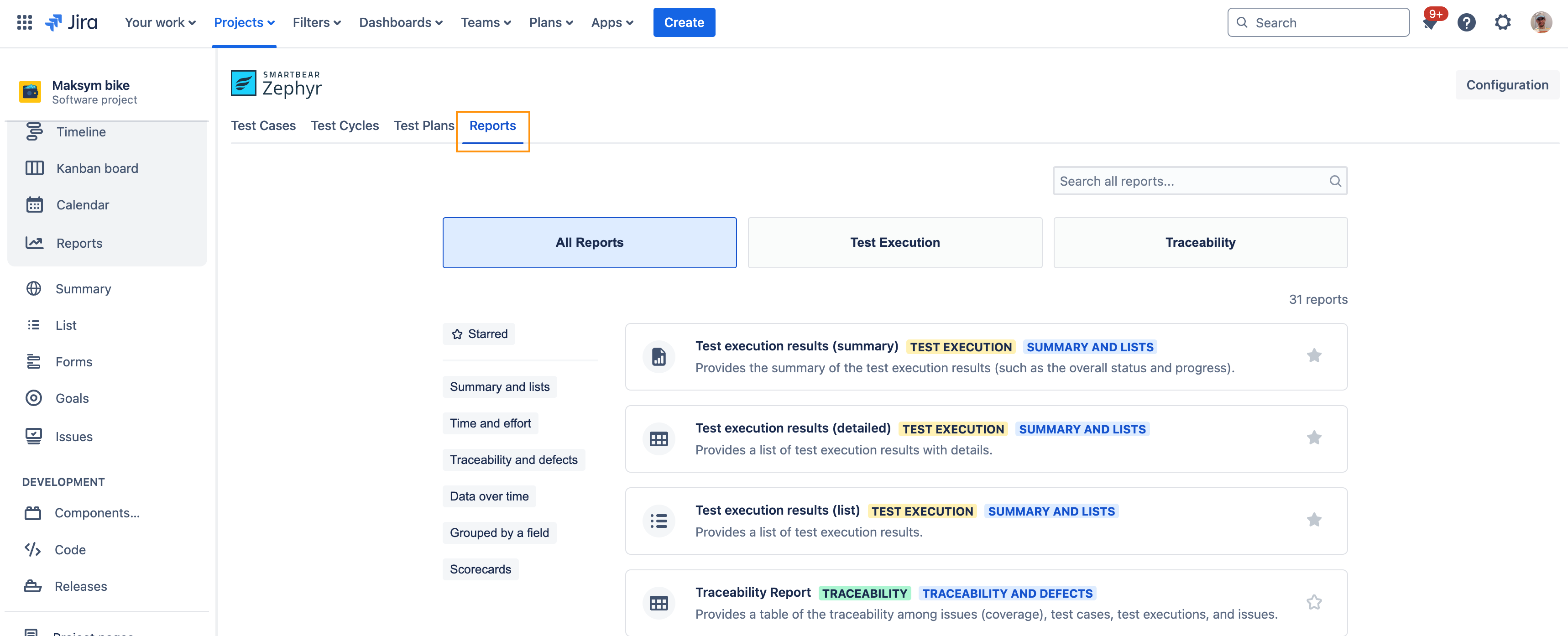
A list of the reports appears.
Click the report you want to generate.
Each report requires you to fill out a set of fields and filters. The information needed for each report varies slightly, but you generally add information by typing the name of and selecting a space, specifying date ranges, and customizing filter options using drop-down lists.
On the test screen, make selections for the Project and Filters options. For example:
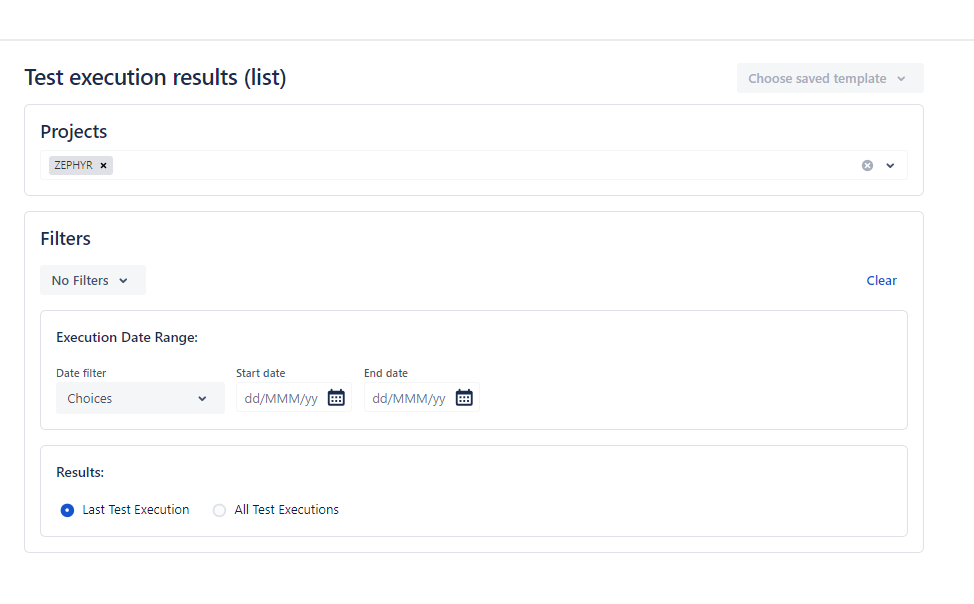
Complete the remaining options on the screen.
These options vary based on your Filter By selection. Type in the text box, and matching values appear for easy selection.
You can print the report if needed. Test execution reports also have the option to export the raw data to Excel.
Filtering the Reports
You can also filter the reports by doing the following:
Select any of the Test Execution reports.
Click Filters. Select any of the filters you want to apply to the report.
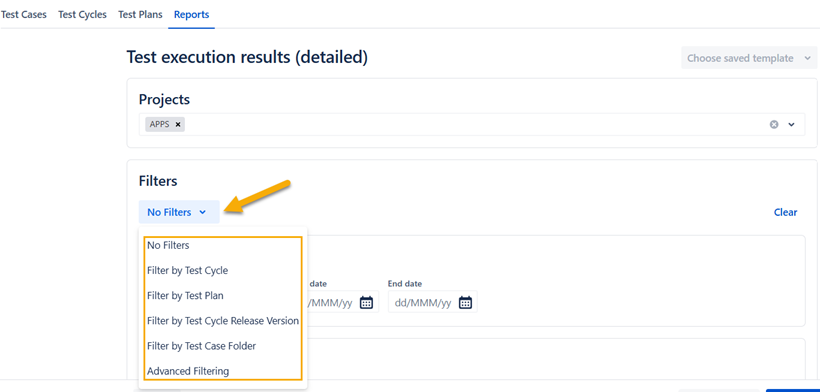
There are different filters that you can apply. They are as follows:
No Filter: No Filter is applied
Filter by Test Cycle: Displays execution results filtered by test cycle.
Filter by Test Plan: Displays execution results filtered by test plan.
Filter by Test Cycle Release Version: Displays execution results filtered by test cycle release version.
Filter by Test Case Folder: Displays execution results filtered by test case folder.
Advanced Filtering: Allows selecting multiple filters, such as test plan, test case, test execution, etc.
Advanced Filtering
The advanced filtering option allows you to generate reports with multiple conditions.

Equals: Filters results where the test case name exactly matches the specified value. Use this condition when the exact field value is known.
In or Not In: Filters results based on whether the specified field value is included or excluded from the provided list. Use this condition with fields that support multiple values.
Sample Reports
Traceability reports
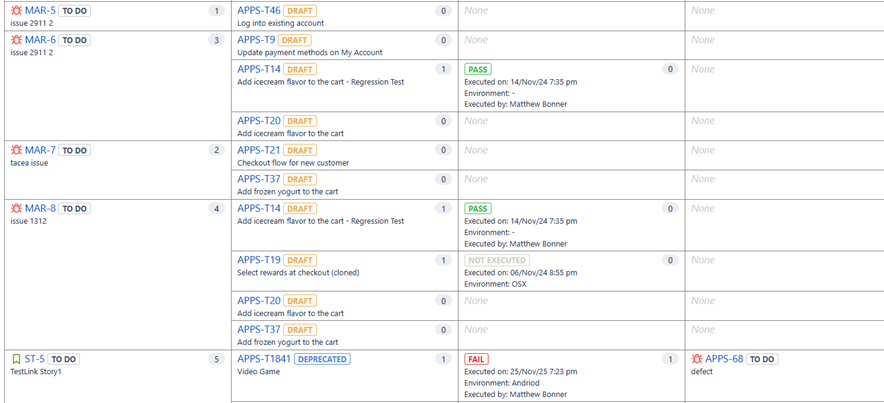
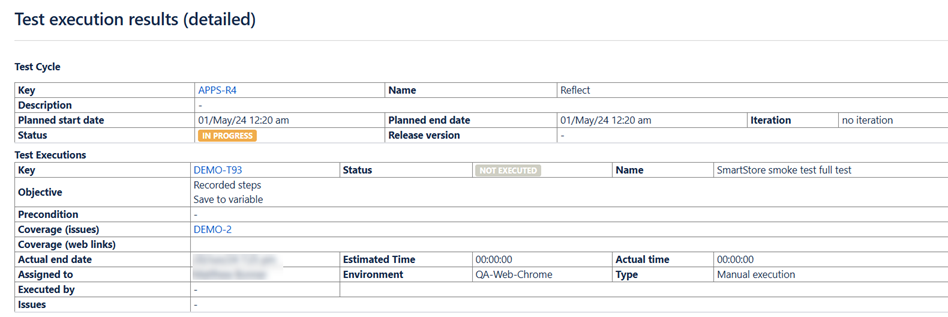
Test execution results (detailed)