API Access Tokens Management
How to Generate the Token
You need to generate an access token to use the API for Zephyr. The following steps illustrate the process.
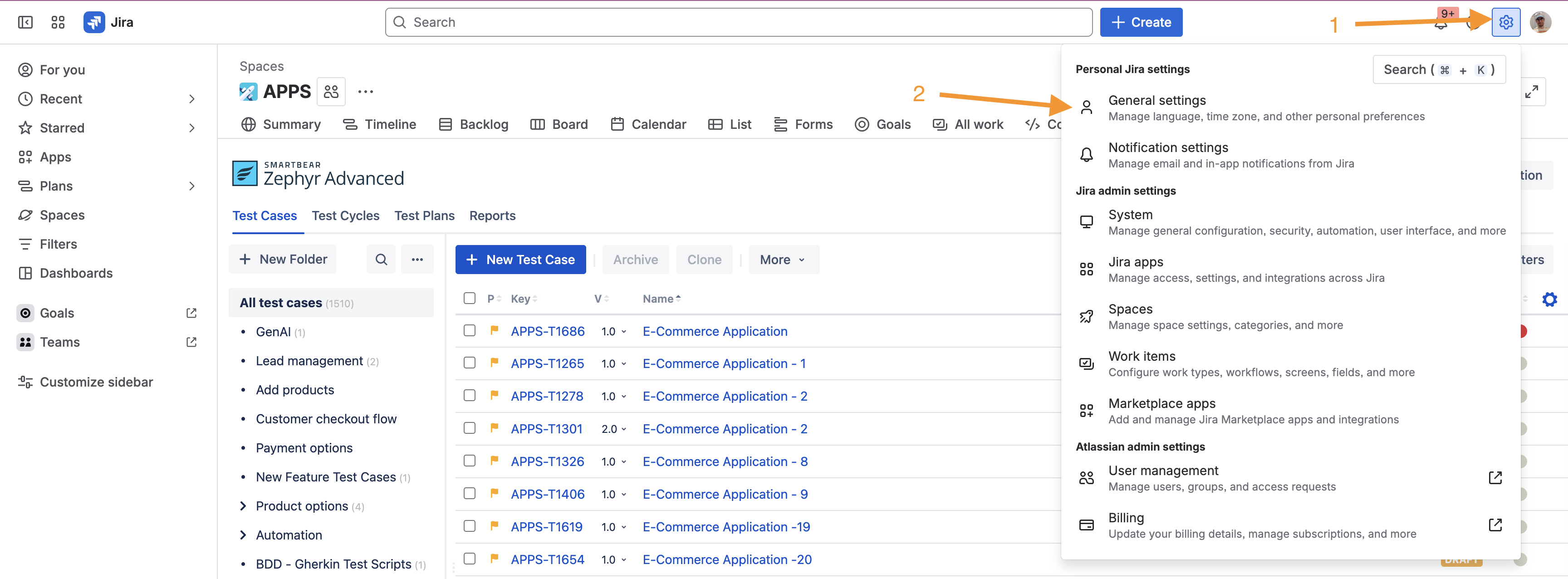
Click Settings and select General Settings.
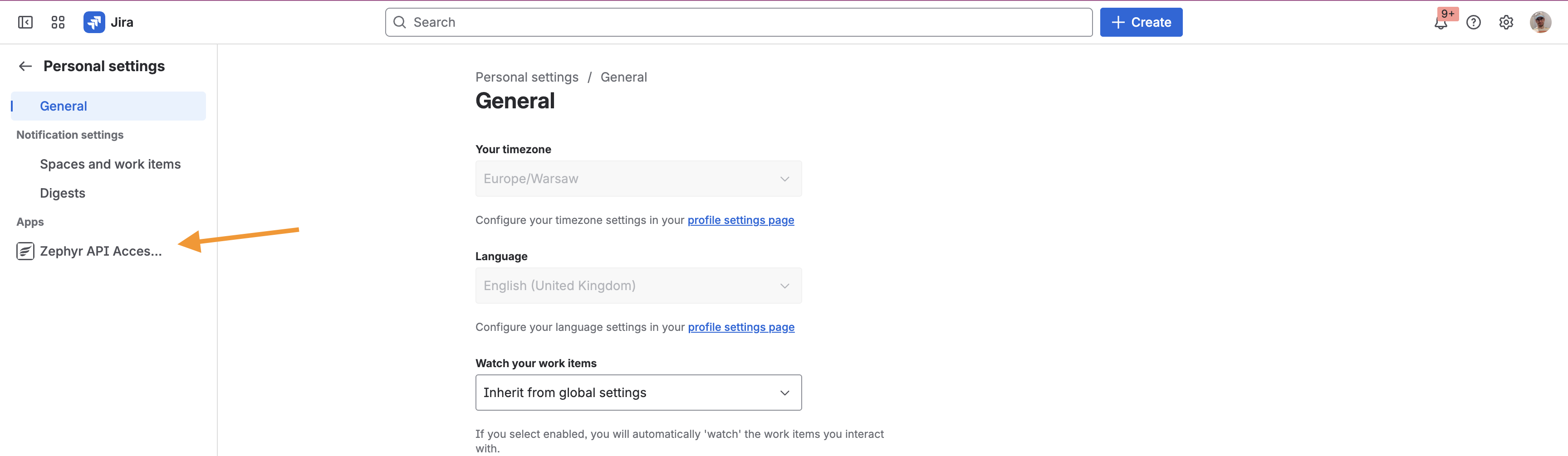
Under Apps section, select Zephyr API Access Tokens.
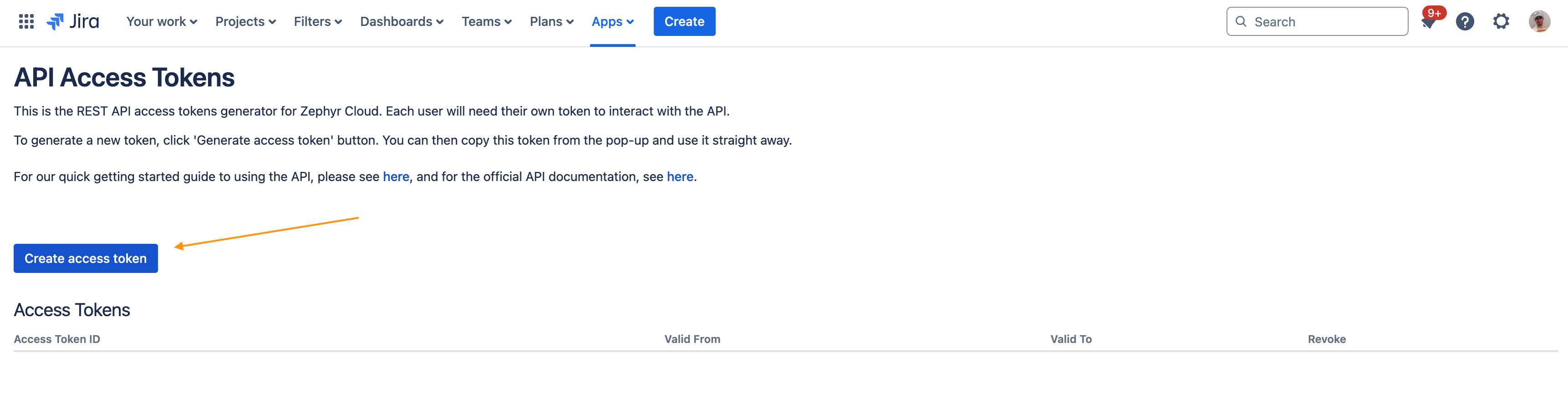
Click Create access token.
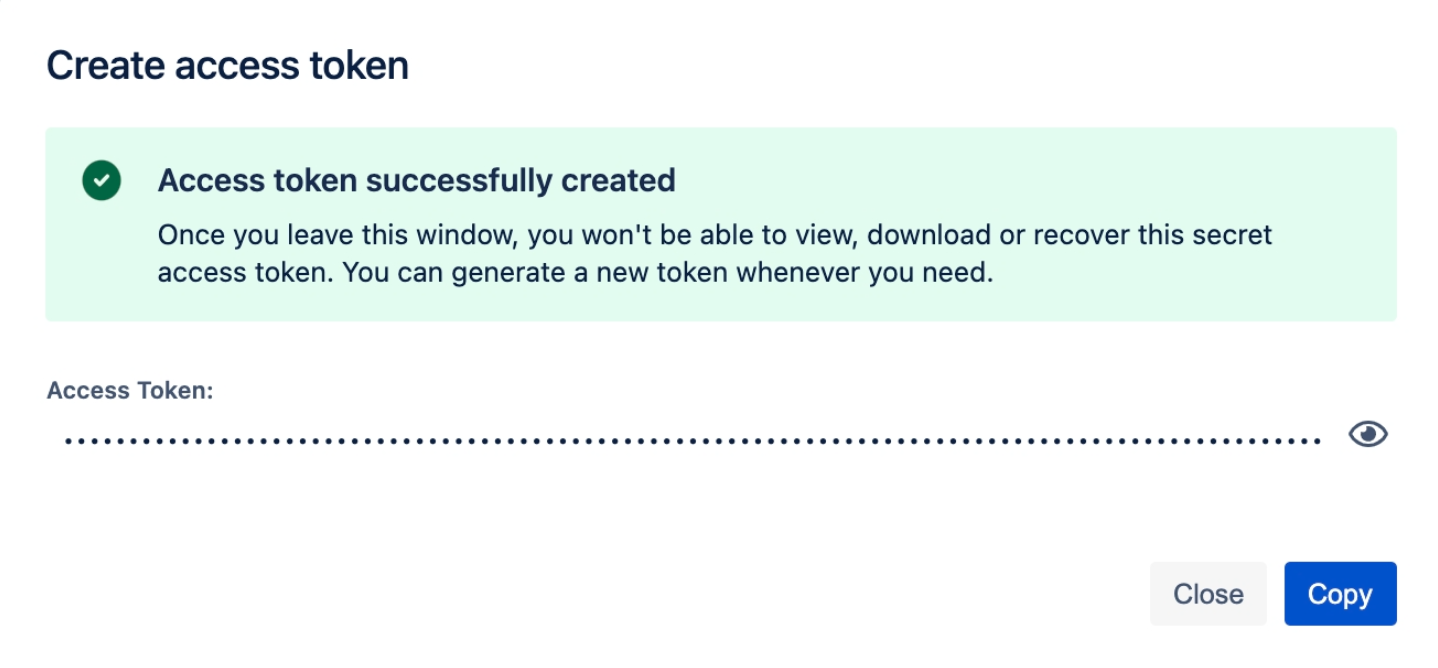
A pop-up window appears.
Click the copy button to copy the access token.
You are all set to begin using the REST API. Now, do either of the following:
Explore the available endpoints for Zephyr or Zephyr Essential
Return to the REST API Overview page to learn more.
Revoke the token
Zephyr allows you to revoke old tokens.
Click your Jira profile icon and select Zephyr API Access Tokens. You will see the list of the tokens created.
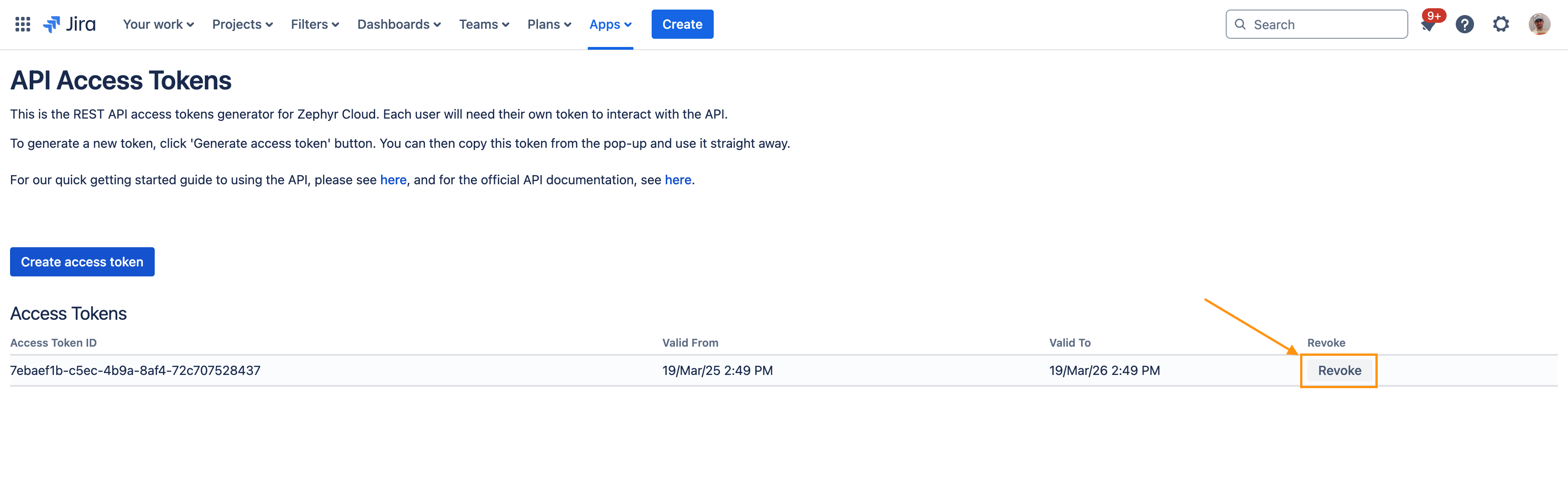
Select the option.
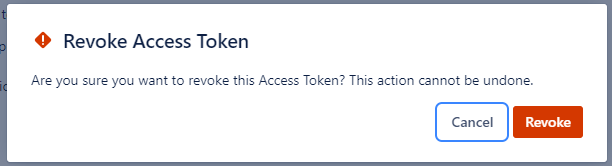
Click Revoke.
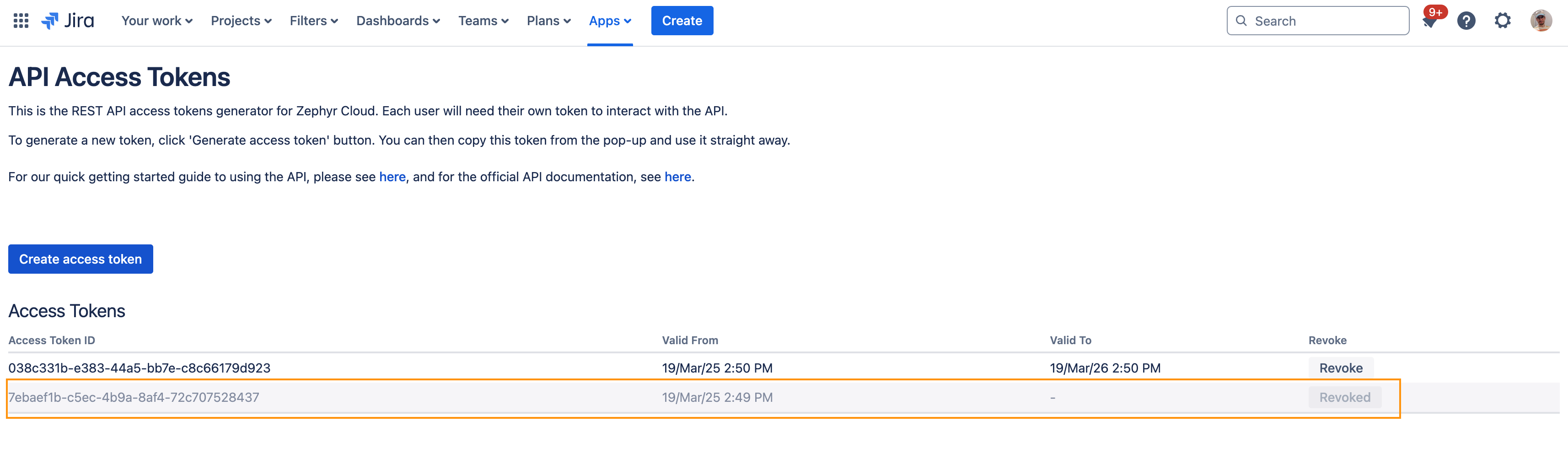
Your token is now deactivated. You will not able to perform any API call with deactivated token.